Learning Context/ Introduction
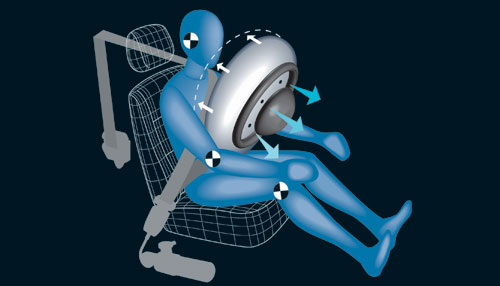
In Airbags, students investigate the relationship between linear, 1-D motion and its corresponding graphs of position vs. time. The investigation is set in a context of learning about automobile airbag safety. Students run embedded dynamic simulations to learn how differences in speed and direction are represented on a graph. Students also analyze video footage of crash tests to hypothesize what conditions could lead to injury from a deploying airbag.
This activity is written for a general-level physics class of students grade 9-12. Students should understand velocity and have some familiarity with graphing 1-D motion.
To fully utilize these and other free curricular materials available from WISE - the Web-based Inquiry Science Environment, visit their homepage and register for free to become a WISE member!
Airbag Safety
Credits
Used with Written Permission
Essential Question
Through investigating linear, 1-dimensional motion in the context of airbag safety, are airbags safe in head-on automobile collisions?
Other Notes
Security firewalls at some schools make accessing programs needed for the simulations difficult. Attempt to run the Airbags unit with a STUDENT computer account to verify that it will run smoothly.
Some of the movie files are large and can take a minute or two to download to individual machines, depending on the speed of your connection. Downloading these movie files to each student's computer cache a day prior to running the project can sometimes decrease the amount of wait time students experience during the activity.
It is highly recommended that the instructor test each step of the project on a student machine with a student account, so that possible difficulties can be anticipated. With proper preparation, the project has shown to run very successfully.
In addition, copying the project will NOT copy the simulation steps. It is therefore recommended that you run the project directly from the WISE library and NOT copy the project for personal modification, as copies of the project will not run properly.
Duration
Windows machines must be equipped with the most recent versions of Java and QuickTime. Macintoshes must run OSX (recent Java and QuickTime versions should be included).
A projection system to be used for a "demonstration" computer is often helpful to demonstrate to the class how to use the WISE system and to run the simulations.
Activity Sections
Please visit each section to view Learning Goals, Classroom Practice, and Curriculum Notes.


