Learning Experience/Unit
Character Webbing: Romeo and Juliet by St. Lawrence-Lewis BOCES
Subject
English Language Arts (NYS P-12 Common Core)
Grade Levels
Commencement, 9th Grade, 10th Grade, 11th Grade, 12th Grade
Assessment
Students will be assessed on the following rubric. (See attached)
Learning Context/ Introduction
Students will understand the relationship between characters in "Romeo and Juliet."
Duration
The planning time for me was minimal because I am familiar with the program. Three class periods at 40 minutes each were needed to complete the task. Assessment of the task took nearly three hours.
Essential Question
How are the characters in "Romeo and Juliet" related?
Instructional/Environment Modifications
A computer lab set up with Inspiration.
Procedure
- The teacher will first make a presentation using Inspiration. The students are not familiar with the program, therefore it is necessary to show various functions and tabs such as the following:
- Page setup
- Header
- Types of boxes, circles, etc.
- Link icon
- Text tab
- Effect tab
- Bottom tool bar
- At any point throughout the presentation, students will be allowed and encouraged to ask questions.
- At the conclusion of the presentation, students will be allowed to log on to their computers and maneuver through the program on their own. At this time they will also be given their own character web sketches that were created on Friday. They will also be allowed to use one another and work together to explore the program and answer one another’s questions.
- Students will be expected to begin and possible complete their own character webs. They will be graded on their creativity, but at this point I think they need sufficient time to experiment.
- Because this will be the first time that the students have used this program, I will be allowing them to experiment with the program and their own character web layout. Therefore, before beginning class tomorrow, I will explain the rubric and the corresponding grades. This will allow students time to make changes and adjust them according to the rubric.
Reflections and Feedback
This lesson was created so that students could experience a different method to learning. With so many characters in “Romeo and Juliet” they often get confused as to the connections between them. This allowed them to sort things out. It was definitely not the typical lecture class. This lesson allowed students to be creative and learn from one another and seek out assistance, instead of just from me. The one thing learned from the lesson was the creativity. Often times there is little room for that to happen. The students truly enjoyed the lesson and the program. They asked when they could do it again. Seeing the students enjoying what they were doing and learning was satisfying in my eyes.
Student Work
Students will turn in a hard copy of the character web that was created.
-
High (Exemplary)- concepts are easily identified, accurate relationships, appropriate graphics, creative, easy to read, no errors
-
Medium (Proficient)- mostly accurate, concept is easily identified, few grammatical/spelling errors, visual appeal
-
Low (Developing)- confusing, subconcepts don’t branch from the correct area, several grammatical/spelling errors, cluttered, lacks visual appeal
Please Note: Below are provide 3 examples of student work in three different formats. The originals were created using Inspiration 7.5. The second set are JPG images of the student work. The last set of three are the maps reposted as Inspiration 6.
Sample 1Sample 2Sample 3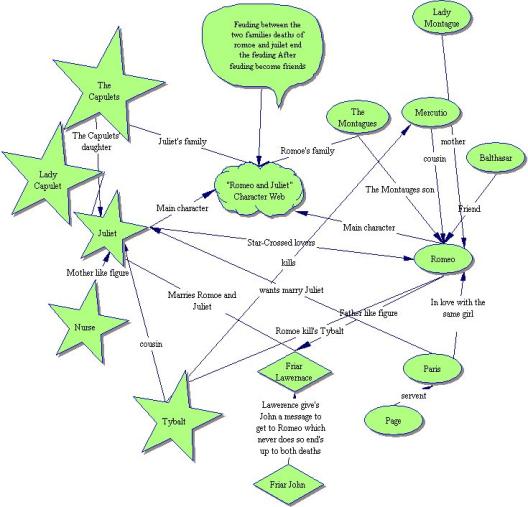
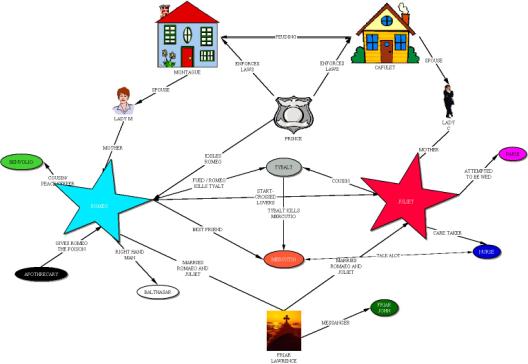
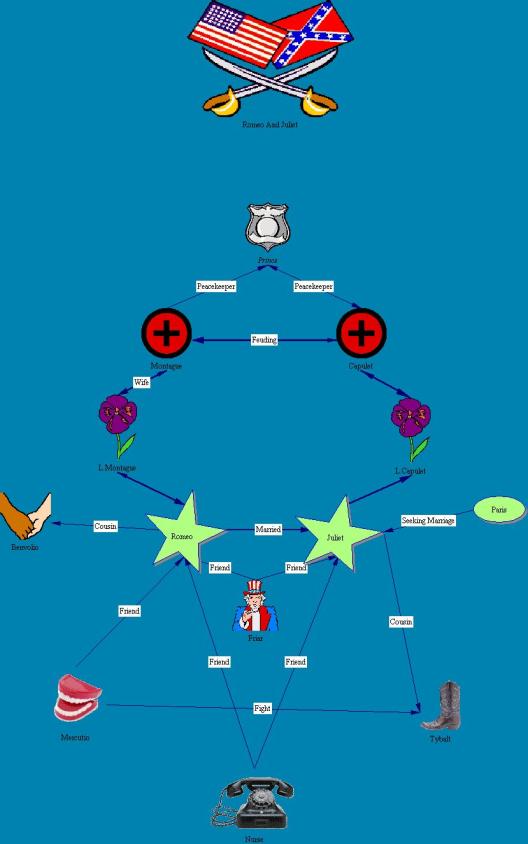 Sample 1 - Inspiration 6Sample 2 - Inspiration 6Sample 3 - Inspiration 6
Related Resource
The only resources needed to complete the lesson were: a computer lab with enough stations for every student, a license for Inspiration and "Romeo and Juliet."
Note: Click here to download a free trial of Inspiration.


